 User Interface
Summary: Description of WinComposer user interface. Principle of the three tabs and their contents.
Introduction
WinComposer user interface uses three tabs:
Icon Composer Tab
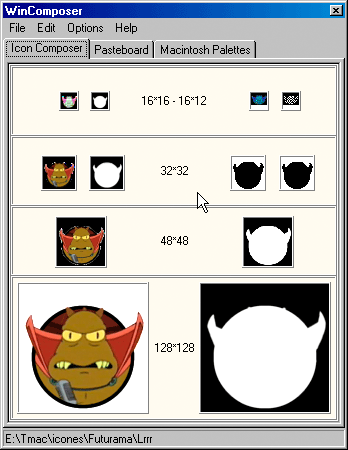
This is the tab where are composed, or assembled, the icon and other graphical resources you import with WinComposer.
To Go Further:
Page on the Icon Composer.
Pasteboard
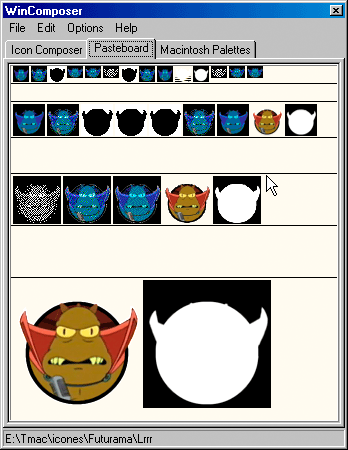
This tab displays all graphical resources opened by the program, even those whose color depth was lower than the already present icons.
To Go Further:
Page on WinComposer Pasteboard.
Palettes Macintosh
This tab displays the three system palettes used on the Macintosh computers. It is naturally a pure information page.

To Go Further:
Page on Macintosh Palettes.
Pierre Duhem (ex-Logiciels & Services Duhem)
3, rue Pierre Haret - F-75009 Paris (France) - Tel. (+33) [0]149 700 455
web: http://www.macdisk.com
3, rue Pierre Haret - F-75009 Paris (France) - Tel. (+33) [0]149 700 455
web: http://www.macdisk.com